Everything Bonbon does — and nothing it shouldn't.

Every feature on this page is in the app today. Free to download on iPhone, iPad and Android.

Every video checked No ads of our own No tracking Built by a parent
For your child

A calm catalog to explore on their own

Genres instead of an endless feed. Everything they can tap has already been checked.
Checked catalogEvery video is checked and scored before it can appear.
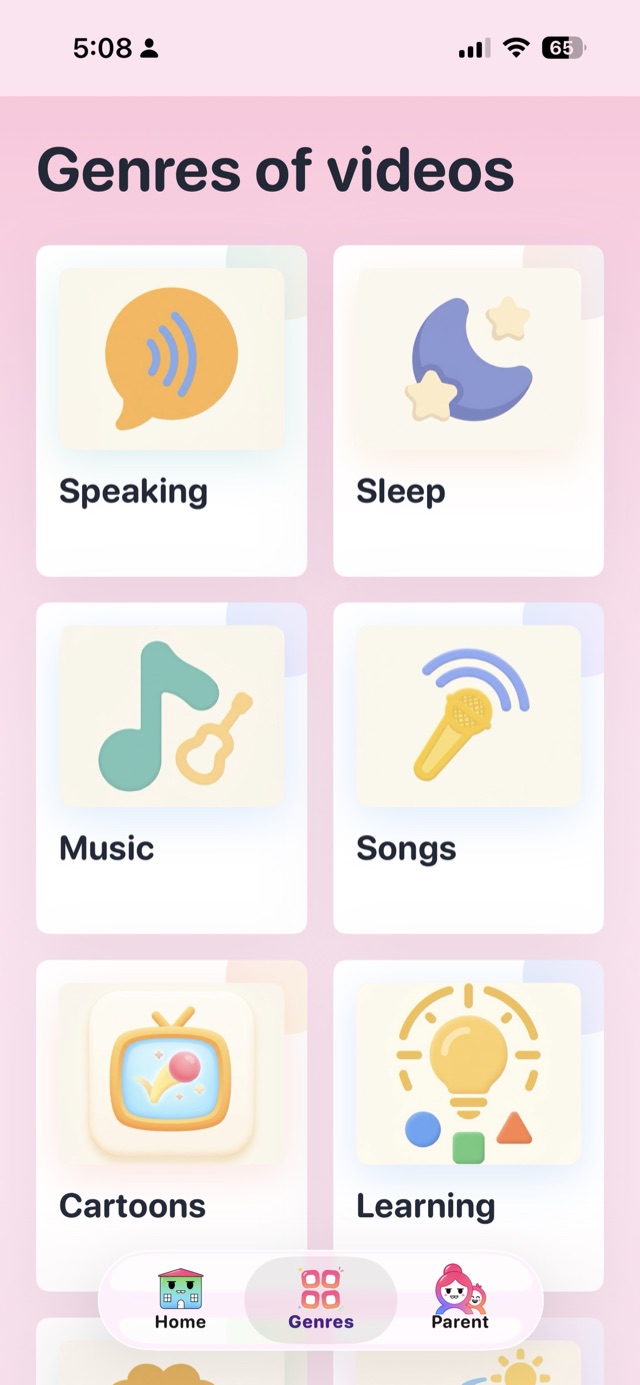
Genres, not feedsStories, songs, science, nature, cartoons, movies.
Search that stays insideResults come only from the checked catalog.
Right for their ageSet the age once; the catalog adapts.
Videos in your languagesKazakh, Russian, English — you choose which.
Calmer eveningsSofter, slower videos as bedtime gets closer.
Bonbon genres screen: Speaking, Sleep, Movies, Music, Songs, Cartoons
Anywhere

Phone, tablet or the big screen

The phone stays in charge of what plays next — wherever it plays.
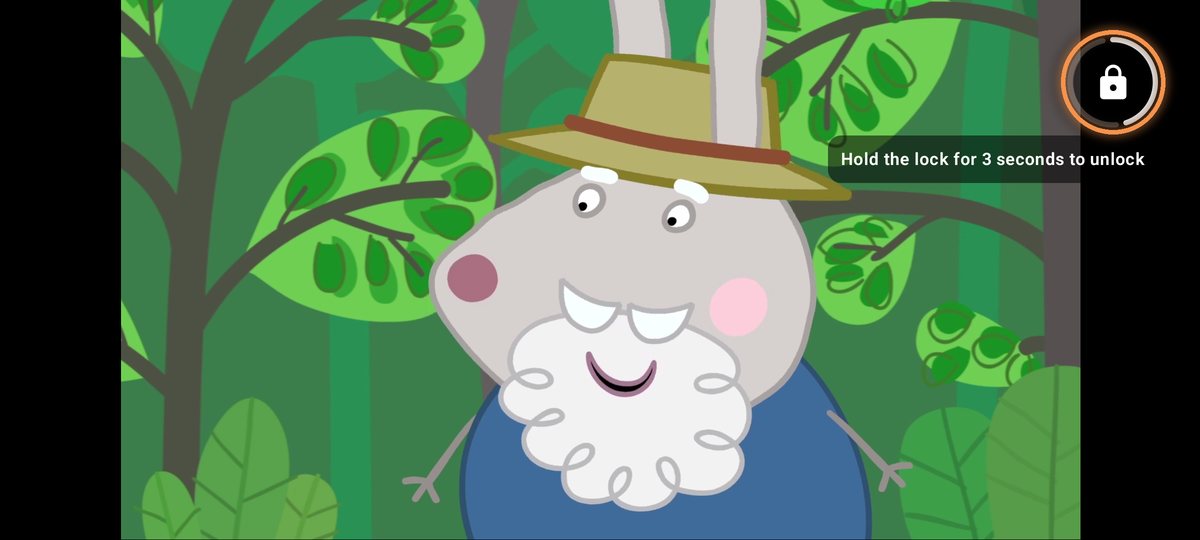
Bonbon in cinema mode, in landscape: a parent holds the lock, the ring fills, and the hint says to hold for 3 seconds to unlock

🔒 Cinema mode

  1. Tap the lock in the player.
  2. Taps stop working. Videos keep playing: no pause, no skip, no way out.
  3. To unlock, hold the lock for 3 seconds, then Face ID or PIN.

Stays locked after a restart. On Android the app can be pinned too.

📺 Watch on the TV

Chromecast, Android TV, Google TV. Samsung and LG via bonbonapp.app/tv.

The Bonbon player with the cast icon highlighted
1. Tap the cast icon and pick your TV.
Bonbon playing on a TV, with the phone showing the remote panel
2. The TV plays; the phone becomes the remote.
iPhone, iPad, AndroidSame app, same catalog, same parent area.
Sign in, keep everythingProfiles, blocks and limits come back on a new phone.
For you

The parent area

Behind Face ID or a PIN. Your child never sees it.
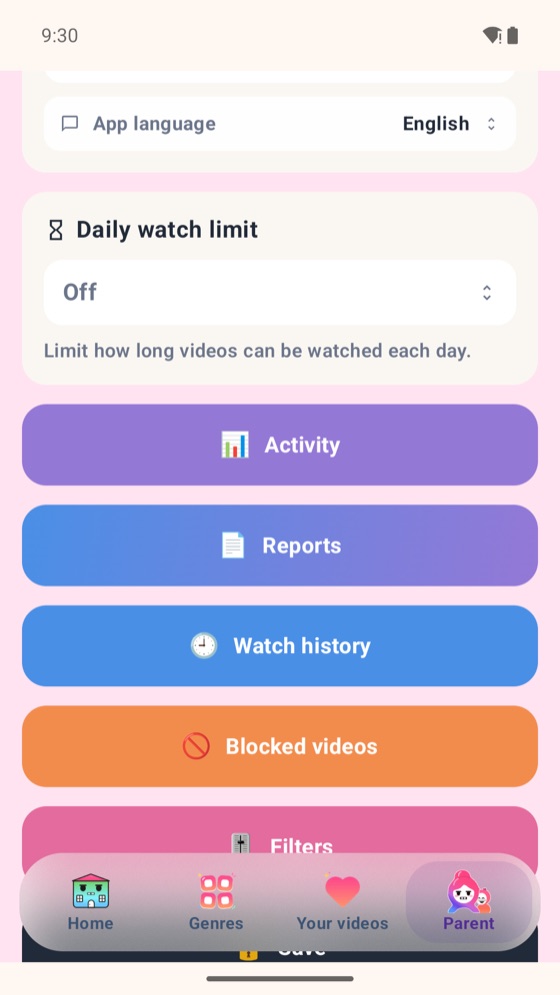
Bonbon parent area: daily watch limit, activity, reports, watch history, blocked videos, filters
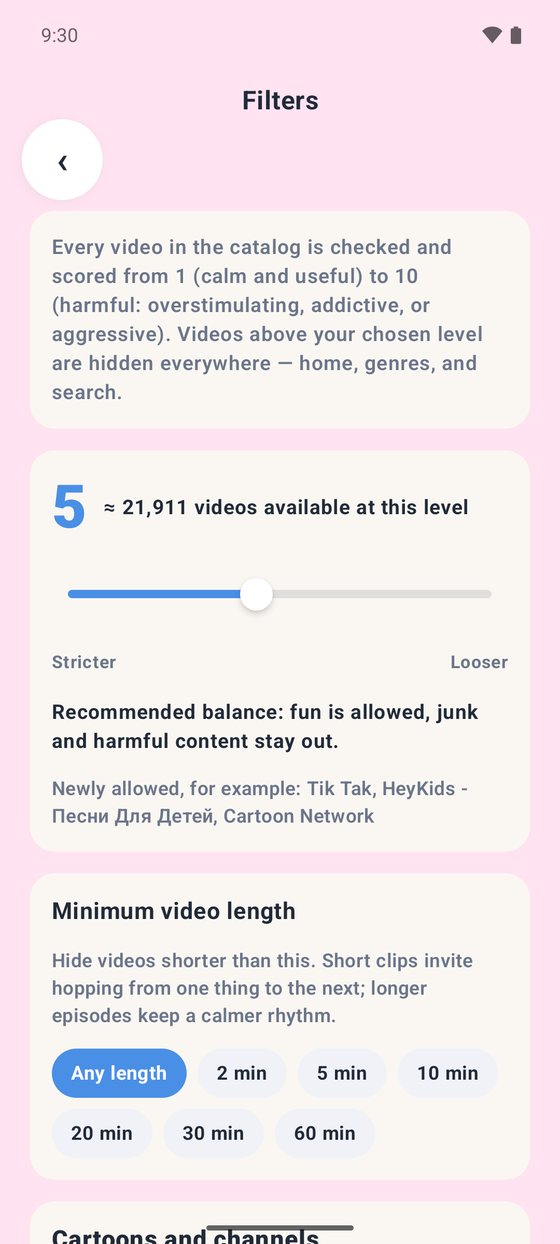
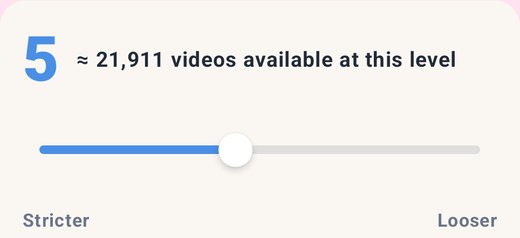
Bonbon Filters page: the strictness bar at the recommended level 5 with the number of videos available, and minimum video length options
One profile per childOwn age, languages, history and limits.
Watch historyEvery video: what, when, for how long.
Block anythingOne video or a whole show — for one child or all.
Strictness levelEvery video is scored 1 to 10. Pick your level in Filters.
Minimum video lengthHide anything shorter than 2, 5, 10 minutes. No shorts.
Your own channelsAdd a YouTube channel you trust; its videos appear for your kids.
Screen time

Limits the app keeps itself

And a weekly report you will actually read.
Daily limit & scheduleMinutes per day and the hours it may be used.
“Good night”When time is up, Bonbon says goodbye gently. A strict lock is optional.
Bonus minutesA few extra minutes, granted from the parent area.
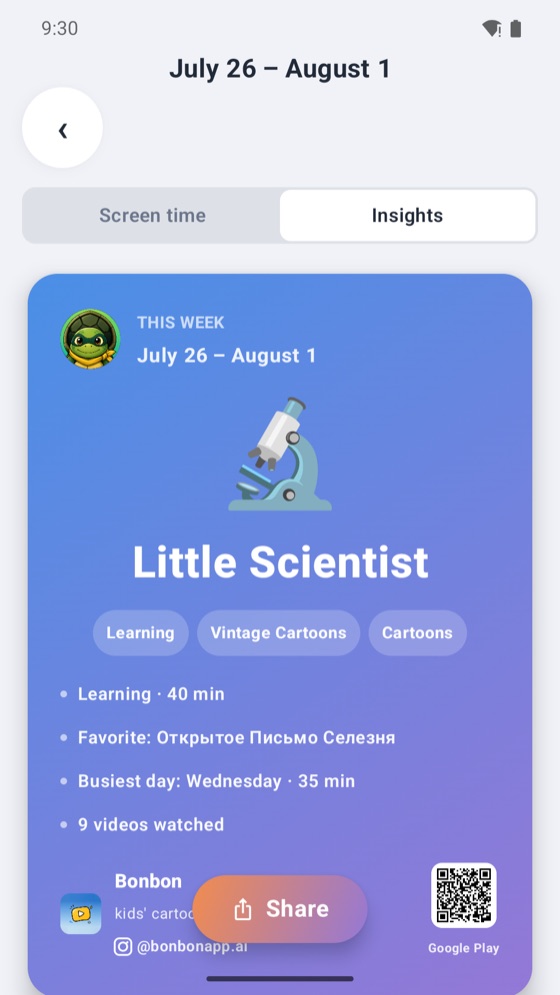
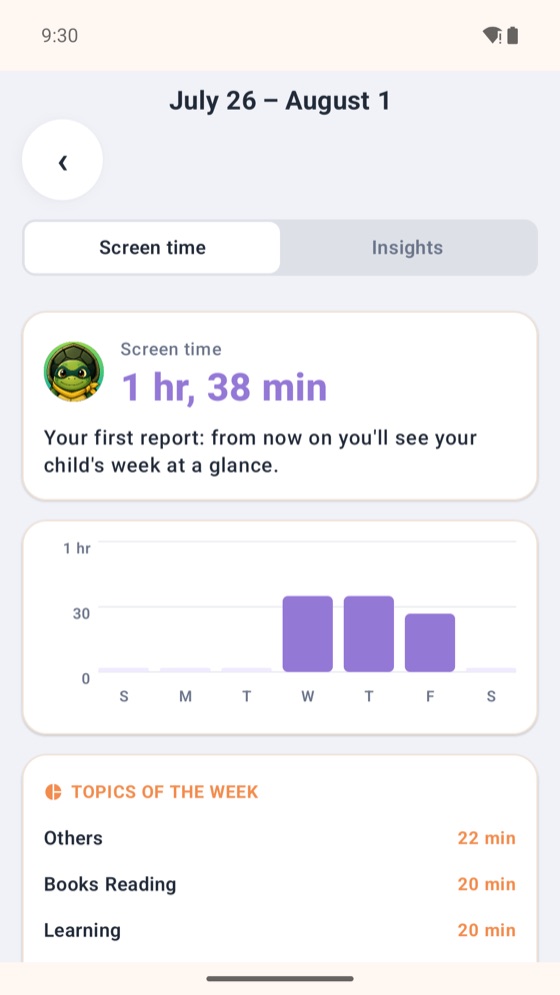
Weekly reportTime, topics, most watched — and a card to share.
Bonbon weekly report: screen time per day and topics of the week
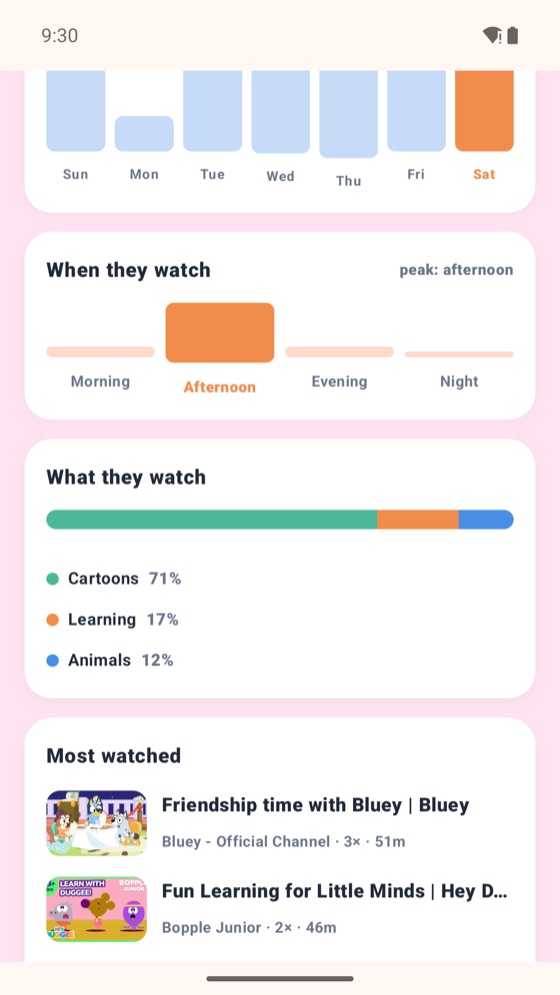
Bonbon activity: when they watch and what they watch
When and what they watch
Bonbon weekly insight card: Little Scientist
A week in one card — shareable

Bonbon is also in GetApps, Xiaomi's store, and as a direct APK.

Some parent extras on this page (more than one child profile, a schedule per weekday, weekly reports, full watch history) are part of the optional Bonbon Family subscription. Watching is always free. What is free, and how to cancel ›

Coming next

Samsung Galaxy Store Samsung & LG TV apps